
Data analysis has transformed dramatically over recent years, with organisations increasingly turning to open source analytics tools to gain insights whilst maintaining control over their infrastructure. These platforms offer transparency, customisation, and independence from proprietary vendors-qualities that resonate particularly well with European businesses navigating stringent data protection requirements. Whether you’re tracking website visitors, analysing user behaviour, or processing vast datasets, open source solutions provide viable alternatives to commercial offerings without sacrificing functionality or reliability.
Understanding Open Source Analytics Tools
Open source analytics tools represent software solutions where the underlying code remains publicly accessible, allowing anyone to inspect, modify, and distribute the technology. This transparency creates unique advantages for organisations seeking to understand exactly how their data is processed and stored.
The core philosophy centres on community-driven development and user freedom. Rather than relying on black-box algorithms from commercial vendors, teams can examine every aspect of data collection, processing, and reporting. This visibility proves especially valuable when addressing compliance requirements or explaining data handling practices to stakeholders.
Key Benefits for European Businesses
Data sovereignty stands out as perhaps the most compelling reason European organisations adopt open source analytics tools. By hosting solutions on your own infrastructure or selecting EU-based providers, you maintain complete control over where data resides and who can access it.
- Full transparency into data processing methods
- No vendor lock-in or unexpected pricing changes
- Customisable to meet specific business requirements
- Community support and regular security updates
- Cost-effective scaling without per-user licensing fees
Self-hosting capabilities mean sensitive business intelligence never leaves your designated servers. This approach aligns with data protection principles whilst providing the flexibility to integrate with existing systems and workflows.

Popular Open Source Analytics Tools in 2026
The ecosystem of open source analytics tools has matured significantly, offering solutions for virtually every data analysis requirement. From web analytics to business intelligence platforms, organisations can select tools matching their technical capabilities and business objectives.
Web Analytics Platforms
Matomo remains one of the most established open source analytics tools for website tracking. Originally launched as phpMyVisits in 2007, it has evolved into a full-featured platform offering features comparable to traditional analytics platforms whilst prioritising data ownership.
The platform provides real-time visitor tracking, conversion funnel analysis, and detailed reporting without requiring cookies for basic functionality. European businesses particularly appreciate its built-in features designed with GDPR principles in mind, including automatic IP anonymisation and granular consent management.
Plausible Analytics represents a newer generation of privacy-friendly website analytics tools. Its lightweight script weighs under 1KB, ensuring minimal impact on page loading times, which matters for SEO performance. The interface prioritises simplicity, displaying key metrics on a single dashboard without overwhelming users with excessive data points.
For those seeking server log analysis, AWStats continues serving organisations that prefer analysing web server logs rather than implementing JavaScript tracking. This approach eliminates browser-side tracking entirely, though it provides less granular user behaviour insights.
Platform | Best For | Hosting Options | Learning Curve |
|---|---|---|---|
Matomo | Full-featured tracking | Self-hosted, Cloud | Moderate |
Plausible | Simplicity, speed | Self-hosted, Cloud | Low |
AWStats | Server log analysis | Self-hosted only | High |
GoAccess | Real-time log analytics | Self-hosted only | Moderate |
Data Analysis and Business Intelligence
Beyond web analytics, open source analytics tools extend into broader business intelligence applications. KNIME offers a visual programming environment for data science workflows, enabling teams to build complex analysis pipelines without extensive coding knowledge.
Apache Superset provides interactive data visualisation and exploration capabilities. Its SQL-based approach allows analysts to query databases directly whilst creating shareable dashboards for stakeholders. The platform supports numerous database backends and integrates easily with existing data infrastructure.
For organisations dealing with log data from applications and systems, LogAI introduces machine learning capabilities specifically designed for log analytics. This relatively new framework assists in anomaly detection, pattern recognition, and predictive maintenance across distributed systems.
Implementation Considerations for European Organisations
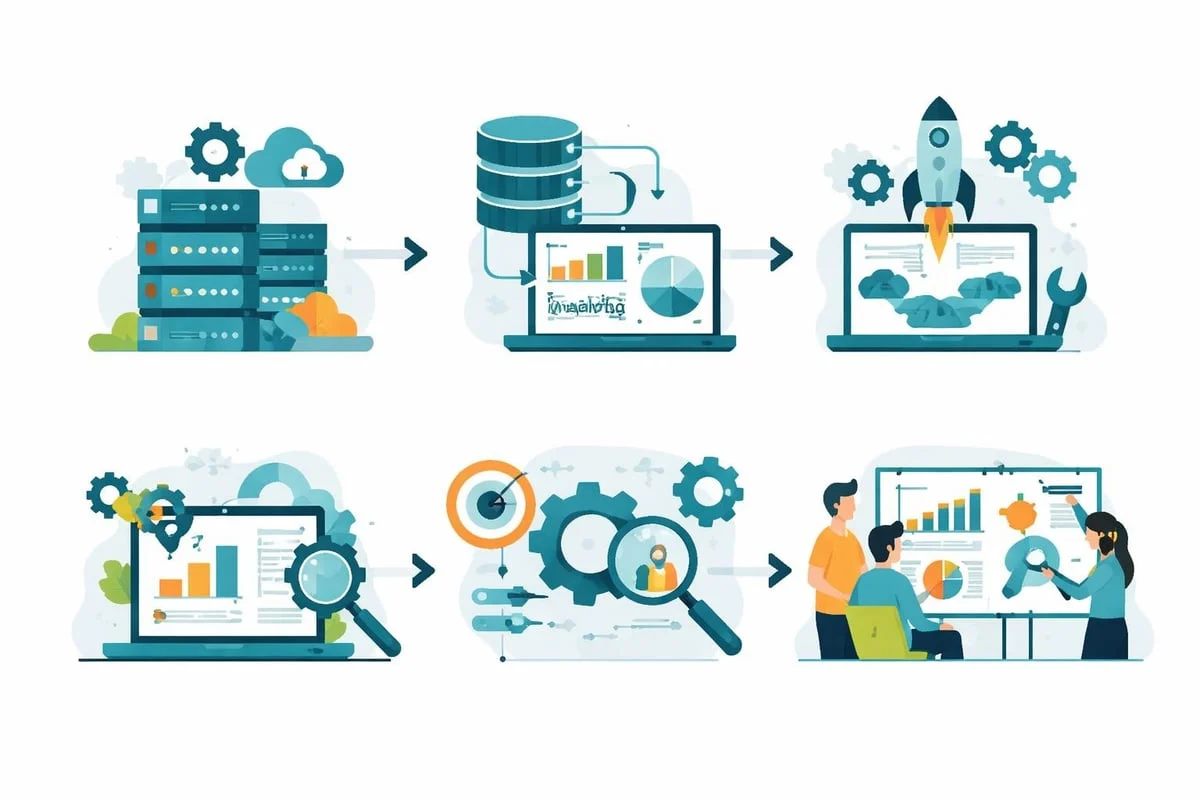
Deploying open source analytics tools requires careful planning to ensure successful adoption and ongoing maintenance. Unlike managed commercial services, self-hosted solutions demand technical expertise and infrastructure resources.
Technical Requirements
Server infrastructure forms the foundation of any self-hosted deployment. Most open source analytics tools run on standard LAMP (Linux, Apache, MySQL, PHP) stacks, though requirements vary by platform. Consider these specifications:
- Adequate processing power for real-time data processing
- Sufficient storage capacity for historical data retention
- Reliable backup systems to prevent data loss
- Network bandwidth to handle tracking script delivery
- SSL certificates for secure data transmission
Database performance significantly impacts reporting speed and user experience. Larger websites generating millions of pageviews monthly should provision appropriate database resources and implement query optimisation strategies.
Privacy and Compliance Considerations
When selecting open source analytics tools, European businesses must evaluate how each platform handles personal data. Built with GDPR principles in mind doesn’t mean automatic compliance-implementation details matter enormously.
Cookieless tracking has emerged as a preferred approach for many organisations. By using alternative identification methods such as privacy-preserving fingerprinting or session-based tracking, tools can provide meaningful insights without setting cookies that require consent banners.
The free cookie scanner tool helps identify what cookies your current website sets, enabling informed decisions about tracking methods. Understanding your existing cookie footprint proves essential before migrating to new analytics solutions.
IP address handling deserves particular attention. Most open source analytics tools offer IP anonymisation features, removing the last octet before storage. Some platforms support full IP address hashing or eliminate IP logging entirely whilst still providing geographic insights through anonymised methods.
Comparing Open Source versus Commercial Solutions
The decision between open source analytics tools and commercial platforms extends beyond simple cost calculations. Each approach offers distinct advantages depending on organisational priorities and technical capabilities.
Total Cost of Ownership
Open source software eliminates licensing fees, but organisations must account for implementation and maintenance costs. A realistic assessment includes:
- Server hosting and infrastructure expenses
- Staff time for initial setup and configuration
- Ongoing maintenance and security updates
- Technical support through community forums or paid consultancies
- Training for team members using the platform
Commercial platforms bundle these services into subscription pricing, trading higher recurring costs for reduced technical overhead. For smaller teams without dedicated technical staff, managed services may prove more economical despite higher per-month fees.
Feature Comparison and Customisation
Open source analytics tools excel in customisability. Development teams can modify tracking scripts, create custom reports, and integrate with proprietary systems without vendor restrictions. This flexibility enables sophisticated implementations tailored to unique business requirements.
However, commercial platforms typically offer more polished user interfaces and automated features. The development resources of large vendors produce refined experiences that open source projects sometimes struggle to match, particularly in areas like mobile apps and advanced visualisations.
Aspect | Open Source | Commercial |
|---|---|---|
Upfront Cost | Low/Free | Subscription-based |
Customisation | Unlimited | Limited to provided features |
Data Control | Complete | Varies by vendor |
Support | Community | Dedicated teams |
Update Frequency | Variable | Regular, automated |
Practical Applications Across Industries
Different sectors use open source analytics tools for varied purposes, demonstrating the versatility of these platforms beyond simple website tracking.
E-commerce and Retail
Online retailers use analytics to optimise conversion funnels, identify popular products, and measure marketing campaign effectiveness. Open source analytics tools provide detailed customer journey mapping without sharing sensitive transaction data with third-party vendors.
Product page analytics reveal which images, descriptions, and layouts generate the highest engagement. Cart abandonment tracking identifies friction points in the checkout process, enabling targeted improvements that directly impact revenue.
Content Publishing and Media
Publishers rely on audience analytics to understand content performance and reader preferences. Metrics such as time on page, scroll depth, and article completion rates inform editorial strategies and content planning.
The ability to track reader journeys across multiple articles helps identify successful topic clusters and content formats. This intelligence guides commissioning decisions and helps writers understand what resonates with their audience.
SaaS and Technology Companies
Software-as-a-service providers implement product analytics to monitor feature usage, identify power users, and detect churn signals. Understanding how customers interact with applications enables data-driven product development and proactive customer success interventions.
For European SaaS companies serving international markets, understanding where data flows matters a great deal. Tools like the speed test help verify that tracking scripts load quickly for users across different regions, ensuring analytics don’t degrade user experience.

Migration Strategies from Legacy Platforms
Transitioning from traditional analytics tools to open source alternatives requires methodical planning to maintain data continuity and team productivity.
Pre-Migration Assessment
Audit your current implementation before making changes. Document which metrics your team actively uses, what custom reports exist, and how analytics data integrates with other business systems. This inventory prevents overlooking critical functionality during migration.
Identify stakeholders who rely on analytics data and understand their specific requirements. Marketing teams might prioritise campaign tracking, whilst product managers focus on user behaviour flows. Ensure your chosen open source analytics tools support all essential use cases.
Parallel Running Period
Implementing new analytics alongside existing tools provides valuable validation. Run both systems simultaneously for at least one month, comparing data to identify discrepancies and build confidence in the new platform.
This approach allows teams to familiarise themselves with new interfaces and reporting structures without immediately abandoning familiar tools. Gradual transitions reduce resistance and provide safety nets if issues arise.
Data import and historical retention deserve careful consideration. Some open source analytics tools support importing historical data from legacy platforms, maintaining trend analysis capabilities. Others focus on future data collection, requiring you to retain access to old platforms for historical reporting.
Optimising Performance and Scalability
As website traffic grows, analytics infrastructure must scale appropriately. Open source analytics tools offer flexibility in addressing performance challenges through various optimisation strategies.
Database Optimisation
Query performance directly impacts reporting speed. Implement these practices to maintain responsiveness:
- Regular index maintenance on frequently queried fields
- Archive old data to separate tables or databases
- Implement query caching for common reports
- Use database replication for high-traffic sites
- Consider time-series databases for better performance
Monitoring database resource utilisation helps identify bottlenecks before they impact users. Set up alerts for high CPU usage, slow queries, or storage capacity thresholds.
Content Delivery and Script Loading
Analytics tracking scripts should load efficiently without blocking page rendering. Modern open source analytics tools typically provide lightweight JavaScript that loads asynchronously, but implementation matters.
Consider using a CDN to serve tracking scripts closer to users geographically. For European audiences, EU-based CDN nodes ensure minimal latency whilst keeping data transfers within the region. The uptime monitor helps verify that tracking endpoints remain accessible from different European locations.
Integration with Marketing and Development Tools
Isolated analytics provide limited value. Modern open source analytics tools integrate with broader technology ecosystems through APIs, webhooks, and native connectors.
Marketing Automation Platforms
Connecting analytics to email marketing systems enables behaviour-based segmentation. Identify visitors who viewed specific product pages but didn’t convert, then target them with relevant email campaigns. This closed-loop approach demonstrates clear ROI from analytics investments.
Campaign tracking requires consistent parameter usage across channels. UTM parameters remain the standard for identifying traffic sources, though some platforms support custom parameter schemes for greater flexibility.
Development Workflows
For teams practising continuous deployment, analytics should integrate with development processes. Track how feature releases impact user behaviour and key metrics. Automated alerts notify teams when deployments correlate with traffic drops or error rate increases.
API access enables custom integrations with internal tools. Export data to business intelligence platforms, populate CRM systems with website behaviour data, or trigger automated workflows based on visitor actions. The curated directory of open-source analytics tools showcases various integration possibilities.
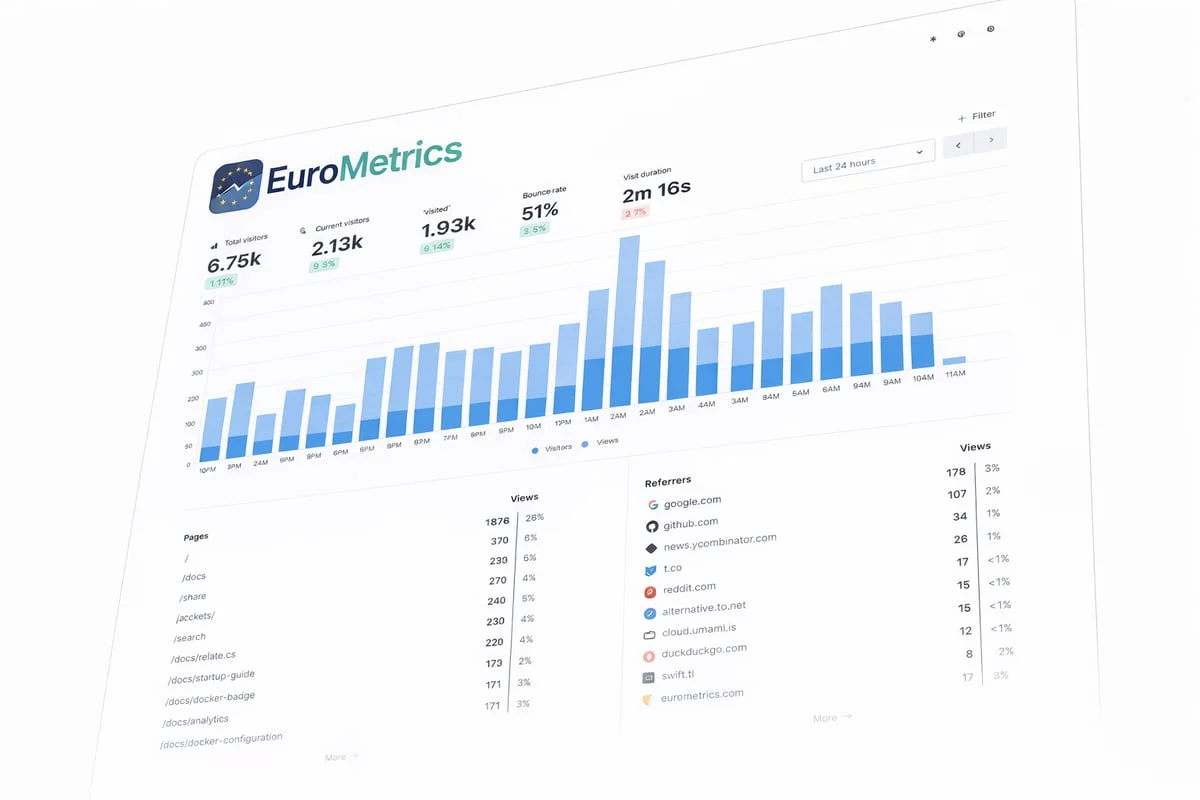
For European businesses seeking straightforward web analytics without the complexity of self-hosting, EuroMetrics offers a cookieless tracking solution hosted exclusively in European data centres. The platform provides real-time insights through an intuitive dashboard whilst maintaining 100% EU data residency.
Advanced Features and Capabilities
Beyond basic pageview tracking, modern open source analytics tools offer sophisticated capabilities for understanding user behaviour and business performance.
Event Tracking and Custom Dimensions
Custom event tracking captures interactions beyond standard pageviews. Monitor video plays, PDF downloads, button clicks, form submissions, and any other user action relevant to your business objectives.
Custom dimensions add context to standard metrics. Tag visits with customer segments, subscription tiers, or experimental groups to analyse behaviour across different cohorts. This granularity reveals insights that aggregate data obscures.
Implementation typically involves adding JavaScript code that sends event data to the analytics platform. Most tools provide documentation and code examples for common tracking scenarios, though custom requirements may need developer assistance.
Conversion Tracking and Attribution
Understanding which marketing channels drive valuable actions requires reliable conversion tracking. Define goals representing business objectives-newsletter signups, product purchases, contact form submissions-and measure completion rates across traffic sources.
Multi-touch attribution becomes possible with detailed user journey data. Rather than crediting only the final click before conversion, sophisticated models distribute value across all touchpoints in the customer journey. This nuanced view helps optimise marketing spend allocation.
Privacy-Preserving Analytics
The latest generation of open source analytics tools embraces privacy-first approaches that provide business insights without compromising user anonymity. Techniques include:
- Aggregating data at collection time rather than storing individual visits
- Using statistical sampling for high-traffic sites
- Implementing differential privacy for sensitive metrics
- Providing visitor-level opt-outs with easy mechanisms
These approaches acknowledge that most business questions don’t require personal data. Understanding that 5,000 people visited your pricing page matters more than knowing specific individuals’ identities.
Community Support and Development Ecosystems
The strength of open source analytics tools lies partly in their communities. Active development communities mean regular updates, security patches, and continuous feature improvements.
Contributing to Projects
Organisations benefiting from open source analytics tools can contribute back through various means. Financial sponsorship supports core development, whilst code contributions add features or fix bugs. Documentation improvements help new users, and community support assists others implementing the tools.
This reciprocal relationship sustains healthy open source ecosystems. Companies deriving value from free software reinvest some of that value, ensuring long-term project viability.
Evaluating Project Health
Before committing to specific open source analytics tools, assess project vitality through these indicators:
- Frequency of code commits and releases
- Responsiveness to reported issues
- Diversity of contributors beyond founding developers
- Quality and completeness of documentation
- Size and activity level of user community
Abandoned projects pose risks of unpatched security vulnerabilities and compatibility issues with evolving web standards. Established projects with broad adoption offer greater long-term stability.
Security and Maintenance Best Practices
Self-hosted analytics require ongoing security attention. Regular maintenance prevents vulnerabilities and ensures reliable operation.
Update Management
Apply security patches promptly when announced. Subscribe to security mailing lists for your chosen platforms and establish processes for testing and deploying updates. Automated update systems can streamline this process whilst maintaining control over timing.
Test updates in staging environments before production deployment. Occasionally, new versions introduce breaking changes or compatibility issues with custom integrations. Validation prevents disrupting live analytics during critical business periods.
Access Control and Authentication
Limit analytics platform access to appropriate personnel. Implement role-based permissions that grant viewing rights broadly whilst restricting configuration changes to administrators. Multi-factor authentication adds security layers for accounts with administrative privileges.
API keys and service accounts require particular attention. Rotate credentials regularly and revoke access immediately when team members depart. Audit logs help track who accessed what data and when, supporting both security and compliance requirements.
Backup and Disaster Recovery
Analytics data represents valuable business intelligence. Implement automated backup systems that capture both database contents and configuration settings. Test restoration procedures periodically to verify backups remain viable.
Consider backup retention policies balancing storage costs against historical data value. Daily backups for recent months, weekly for the past year, and monthly archives for longer-term trends provide reasonable coverage for most organisations.
Future Trends in Open Source Analytics
The trajectory of open source analytics tools points toward greater privacy emphasis, improved usability, and broader integration capabilities.
Serverless and Edge Analytics
Emerging architectures process analytics data closer to users through edge computing. This approach reduces latency, improves reliability, and enables real-time personalisation whilst maintaining privacy through local processing.
Serverless deployments eliminate infrastructure management overhead, letting teams focus on insights rather than system administration. Platforms like Cloudflare Workers and AWS Lambda support analytics workloads that automatically scale with traffic.
AI and Machine Learning Integration
Automated insight detection helps surface meaningful patterns without manual analysis. Machine learning models identify anomalies, predict trends, and segment audiences based on behaviour patterns. These capabilities democratise advanced analytics, making sophisticated techniques accessible to non-technical users.
Natural language interfaces allow querying analytics data through conversational prompts rather than navigating complex interfaces. Ask “What were our top-performing blog posts last month?” and receive immediate visualised answers.
Enhanced Privacy Technologies
Continued privacy regulation drives innovation in privacy-preserving analytics. Techniques like federated learning and homomorphic encryption enable analysis without exposing individual data points. These technologies represent the future of analytics in increasingly privacy-conscious environments.
The supported open-source analytics tools list continues evolving as new projects emerge and established platforms adapt to changing requirements.
Frequently Asked Questions
What are the main advantages of open source analytics tools over commercial platforms?
Open source analytics tools offer complete data ownership, full transparency into how data is processed, and elimination of vendor lock-in. You can host data on your own infrastructure or choose EU-based providers, ensuring data sovereignty. Additionally, there are no per-user licensing fees, and you have unlimited customisation capabilities to meet specific business requirements.
Do I need technical expertise to implement open source analytics tools?
Technical requirements vary by platform. Solutions like Plausible offer straightforward setup with minimal configuration, whilst platforms like Matomo provide extensive customisation options requiring more technical knowledge. Self-hosting demands server administration skills, but many tools also offer managed cloud hosting that reduces technical overhead whilst maintaining data control.
How do open source analytics tools handle GDPR requirements?
Most established open source analytics tools are designed with GDPR principles in mind, offering features like IP anonymisation, cookieless tracking options, data retention controls, and visitor opt-out mechanisms. However, compliance depends on proper implementation and configuration. Self-hosting in EU data centres and disabling unnecessary data collection helps align with GDPR requirements.
Can open source analytics tools scale for high-traffic websites?
Yes, open source analytics tools can handle substantial traffic volumes through proper infrastructure provisioning and optimisation. Database optimisation, caching strategies, and horizontal scaling enable platforms to process millions of pageviews monthly. Many large organisations successfully run open source analytics at scale, though this requires appropriate technical resources and planning.
What are the typical costs associated with self-hosting analytics?
Self-hosting costs include server infrastructure (typically €20-200 monthly depending on traffic), staff time for setup and maintenance, and optional paid support or consulting services. Whilst software licensing is free, total cost of ownership depends on your technical capabilities and infrastructure requirements. For many European SMBs, managed cloud hosting of open source tools balances control with convenience.
How long does migration from traditional analytics platforms take?
Migration timelines vary based on implementation complexity, but most organisations complete transitions within 2-6 weeks. This includes setup, configuration, parallel running for validation, and team training. Complex implementations with extensive custom tracking or integrations may require additional time. Running new analytics alongside existing systems for at least one month provides confidence before fully switching over.
Open source analytics tools provide European businesses with powerful alternatives to traditional analytics platforms, offering transparency, customisation, and complete data sovereignty. Whether you choose self-hosted solutions or managed services, these platforms enable meaningful insights whilst respecting user privacy. For organisations seeking cookieless web analytics without the complexity of self-hosting, EuroMetrics delivers real-time visitor tracking through a simple dashboard, with all data stored exclusively in European data centres across Paris, Frankfurt, and Amsterdam.