
Privacy-conscious organisations across Europe are increasingly seeking alternatives to traditional analytics platforms that offer complete control over their data. Self-hosted Plausible represents a compelling solution for businesses that require full data sovereignty whilst maintaining lightweight, privacy-respecting analytics. By deploying the analytics infrastructure on your own servers, you eliminate third-party data sharing, ensure compliance with European privacy regulations, and gain complete transparency over where visitor information resides. This approach particularly resonates with European businesses that prioritise digital sovereignty and want to avoid reliance on US-based infrastructure.
Understanding Plausible Self Hosted Architecture
Self-hosted Plausible operates as a containerised application that runs entirely within your infrastructure. Unlike cloud-based solutions where data passes through external servers, the self-hosted version keeps all information within your own environment.
The architecture consists of three primary components: the web application interface, a PostgreSQL database for storing analytics data, and a ClickHouse database for handling high-volume event processing. This separation ensures efficient data handling even as traffic scales.
Key architectural benefits include:
- Complete data ownership with no external dependencies
- Direct database access for custom queries and reporting
- Integration capabilities with existing infrastructure
- Full control over data retention policies
- Elimination of third-party subprocessors
When you deploy self-hosted Plausible, you're installing the same codebase used in Plausible's cloud offering, but configured to run on your hardware. The official documentation provides detailed guides covering various deployment scenarios.

System Requirements and Infrastructure Planning
Before deploying self-hosted Plausible, you'll need to assess your infrastructure capacity. The minimum requirements include 2GB RAM and 20GB storage, though production environments typically demand significantly more resources.
Traffic volume directly impacts resource allocation. A site receiving 10,000 monthly visitors might operate comfortably on basic specifications, whilst high-traffic properties require dedicated servers with enhanced processing power.
Traffic Volume | Recommended RAM | Storage | CPU Cores |
|---|---|---|---|
<50k visits/month | 2GB | 20GB | 1 |
50k-500k visits/month | 4GB | 50GB | 2 |
500k-2M visits/month | 8GB | 100GB | 4 |
>2M visits/month | 16GB+ | 200GB+ | 8+ |
Storage requirements grow with data retention periods. If you're maintaining historical data for multiple years, plan accordingly. The ClickHouse database handles time-series data efficiently but still requires adequate disk space.
Network considerations matter equally. Your self-hosted instance must remain accessible to visitors' browsers whilst potentially sitting behind corporate firewalls. Proper DNS configuration and SSL certificate management keep it running smoothly.
Installation Methods and Deployment Options
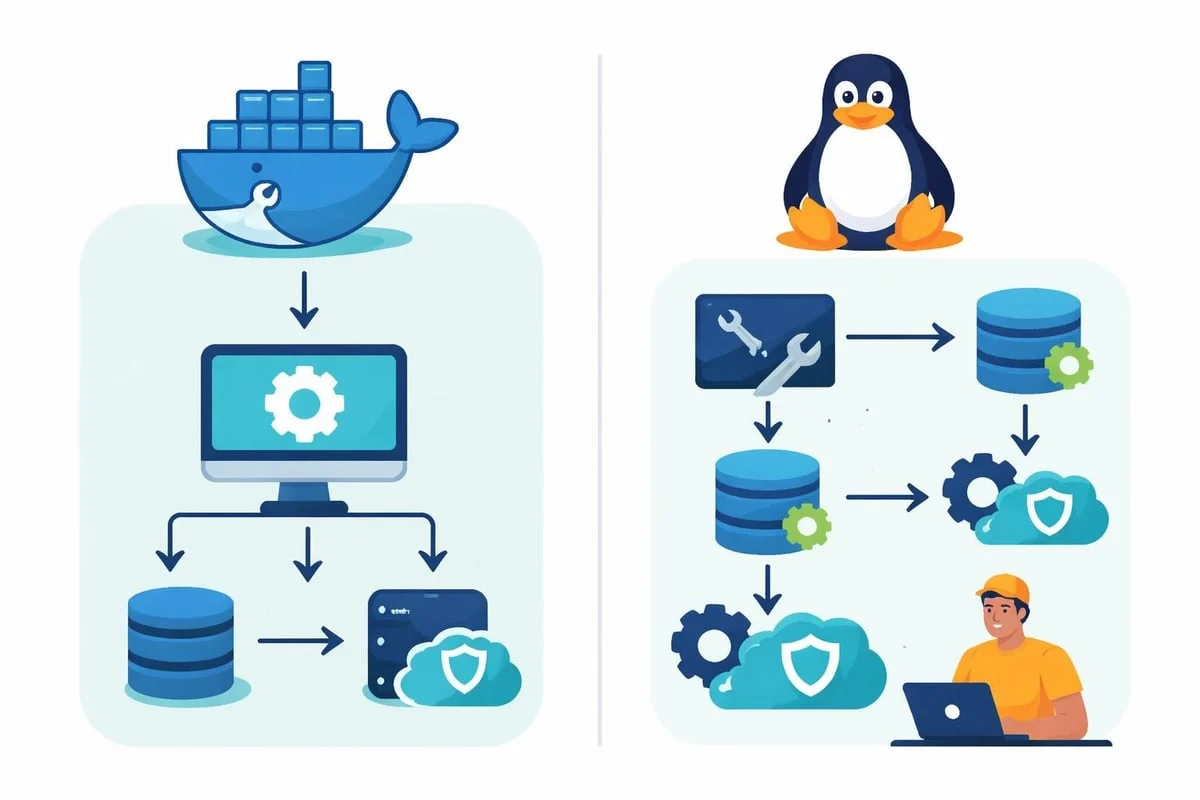
Several approaches exist for deploying self-hosted Plausible, each suited to different technical environments and expertise levels. Docker Compose represents the most straightforward method, providing pre-configured containers that handle dependencies automatically.
Docker Compose Deployment
The Docker-based installation creates isolated containers for each component, simplifying updates and maintenance. You'll need Docker and Docker Compose installed on your host system before beginning.
- Clone the hosting repository to your server
- Configure environment variables including database credentials
- Set up reverse proxy for SSL termination
- Launch containers using docker-compose up
- Complete initial setup through web interface
- Add tracking script to your websites
This method offers excellent isolation and makes updates straightforward through container image pulls. Setting up Plausible Analytics on your blog demonstrates the process with detailed screenshots and troubleshooting advice.
Manual Installation on Ubuntu
For organisations preferring traditional server deployments, manual installation provides granular control. This approach installs PostgreSQL and ClickHouse directly on the host operating system rather than using containers.
The process involves more steps but results in a native installation that integrates closely with existing system management tools. You'll compile the Elixir application, configure systemd services, and manage database connections manually.
Advantages of manual installation:
- Lower resource overhead without containerisation layer
- Direct integration with system monitoring tools
- Simplified backup procedures using native database tools
- Greater flexibility for customisation
However, updates require more manual intervention compared to pulling new container images. You'll need to manage Elixir dependencies and ensure compatibility between components during upgrades.
Configuration and Customisation Options
Once your self-hosted Plausible instance runs, configuration determines how it behaves and what features become available. The configuration file controls everything from SMTP settings to rate limiting and data retention.
Essential Configuration Parameters
The BASE_URL parameter defines how users access your analytics dashboard. Set this to your domain name with HTTPS protocol. Without proper configuration, email reports and shared links won't function correctly.
SECRET_KEY_BASE provides cryptographic security for session management. Generate a strong random value during initial setup and never share this publicly. Changing this value invalidates existing sessions and requires all users to reauthenticate.
Database connection strings tell the application where to find PostgreSQL and ClickHouse. These typically reference localhost when databases run on the same server, but can point to remote database clusters in distributed deployments.
DATABASE_URL=postgres://user:password@localhost:5432/plausible_db
CLICKHOUSE_DATABASE_URL=http://localhost:8123/plausible_events_db
SMTP configuration enables email reports and user notifications. Provide your mail server details including authentication credentials. Many administrators use dedicated transactional email services for reliability.
Advanced Feature Configuration
The DISABLE_REGISTRATION setting proves valuable after creating initial user accounts. Set this to true to prevent unauthorised signups whilst maintaining existing user access.
Custom domain configuration allows white-labelling your analytics installation. Rather than accessing analytics.yourcompany.com, you might configure stats.clientdomain.com for client-facing deployments.
Geolocation requires the MaxMind GeoLite2 database. Download and configure the database path to enable country and city-level visitor location tracking. The setup and implementation guide covers privacy considerations around geolocation data.
For European businesses concerned with data sovereignty, these configuration options ensure all processing occurs within controlled infrastructure. Unlike managed analytics platforms where configuration options remain limited, self-hosted Plausible provides complete flexibility.
When setting up cookieless analytics, consider how your existing tracking implementation handles visitor identification without persistent identifiers. The cookieless approach aligns perfectly with European privacy expectations.
Integrating Plausible Self Hosted With Your Websites
After configuring your instance, integration requires adding a lightweight JavaScript snippet to your websites. This script handles event collection and transmission to your self-hosted analytics server.
The standard integration involves placing a script tag in your website's <head> section. Unlike traditional analytics platforms requiring extensive tag management, self-hosted Plausible uses a single script reference.
Script Installation and Verification
Copy the script snippet from your dashboard settings. It references your BASE_URL and includes a data-domain attribute matching your website domain. This attribute prevents cross-domain data pollution when one analytics instance tracks multiple properties.
Script placement options:
- Directly in HTML template files
- Through tag management systems
- Via content management system plugins
- Dynamically injected through server-side rendering
Verification ensures data flows correctly. Visit your website with browser developer tools open and monitor network requests. You should observe requests to your self-hosted Plausible domain returning 202 status codes.
The self-hosted Plausible script weighs under 1KB, significantly lighter than legacy analytics platforms. This minimal footprint improves page load times, which benefits both user experience and search rankings. You can verify performance impact using speed testing tools that measure third-party script overhead.
Custom Event Tracking Configuration
Beyond pageview tracking, self-hosted Plausible supports custom events for conversion tracking and user interaction measurement. These events capture specific actions like form submissions, downloads, or video plays.
Implement custom events using JavaScript API calls. The plausible function becomes available globally after the script loads, allowing you to trigger events programmatically:
plausible('Download', {props: {filename: 'whitepaper.pdf'}})
Goal configuration happens within your dashboard, where you define which events constitute valuable conversions. This might include newsletter signups, product purchases, or content engagement milestones.
Connecting your website to a self-hosted instance explains the complete integration process including troubleshooting common issues with script loading and event tracking.
Maintenance and Update Procedures
Running self-hosted Plausible requires ongoing maintenance to ensure security, performance, and feature availability. Unlike managed services where providers handle updates automatically, self-hosted deployments need proactive administration.
Regular Update Workflow
Monitor the Plausible GitHub repository for new releases. The project maintains an active development cycle with security patches and feature additions. Subscribe to release notifications to stay informed about available updates.
For Docker deployments, updating involves pulling new container images and restarting services. The process typically completes within minutes with minimal downtime:
- Review release notes for breaking changes
- Backup databases before proceeding
- Pull latest container images
- Stop running containers
- Start containers with new images
- Verify functionality through dashboard access
Database migrations run automatically during container startup when schema changes occur. The application detects version mismatches and applies necessary migrations before serving traffic.
Database Management and Optimisation
PostgreSQL and ClickHouse require periodic maintenance for optimal performance. ClickHouse particularly benefits from regular optimisation as it handles high-volume event data.
Monitor database sizes and implement retention policies matching your compliance requirements. Many organisations retain detailed analytics for 12-24 months whilst keeping aggregated data longer term. Self-hosting analytics provides improved data accuracy through complete control over retention and aggregation policies.
Backup procedures should capture both databases simultaneously to maintain consistency. Automated daily backups prevent data loss from hardware failures or software issues. Test restoration procedures regularly to verify backup integrity.
Index maintenance ensures query performance remains consistent as data volumes grow. ClickHouse handles this largely automatically, but PostgreSQL may require periodic VACUUM operations on heavily updated tables.
Security Considerations and Access Control
Self-hosted infrastructure demands solid security practices. Your self-hosted Plausible instance handles visitor data, making it a valuable target requiring protection.
Network Security and SSL Configuration
SSL certificates encrypt data transmission between browsers and your analytics server. Let's Encrypt provides free certificates with automated renewal, suitable for most deployments. Configure your reverse proxy (Nginx or Traefik) to handle SSL termination.
Firewall rules should restrict database access to the application server only. ClickHouse and PostgreSQL don't need public internet exposure, so limit connections to localhost or private network ranges.
Rate limiting prevents abuse and ensures availability during traffic spikes. Configure reasonable limits on API endpoints to prevent automated scraping or denial-of-service attempts.
Essential security measures:
- Force HTTPS for all connections
- Implement strong password policies
- Enable two-factor authentication where supported
- Regular security updates for all components
- Network segmentation for database servers
- Monitoring for unusual access patterns
User Management and Permissions
Self-hosted Plausible supports multiple user accounts with varying permission levels. Create individual accounts for team members rather than sharing credentials, enabling proper audit trails.
Site-level permissions allow granting access to specific properties without exposing your entire analytics portfolio. This proves valuable when working with external consultants or clients who need visibility into particular websites.
Regular access reviews ensure departed team members lose access promptly. Combined with strong authentication requirements, this maintains security as team composition changes.
The principle of least privilege applies to database access as well. Application database users need only specific permissions for their functions, not full administrative rights to all databases.
Comparing Self-Hosted and Managed Solutions
Choosing between self-hosted Plausible and managed analytics services involves evaluating trade-offs across multiple dimensions. Both approaches offer privacy-respecting analytics, but with different operational characteristics.
Aspect | Self-Hosted | Managed Service |
|---|---|---|
Data Location | Your infrastructure | Provider's servers |
Maintenance Burden | Administrator responsibility | Provider managed |
Customisation Options | Full access to configuration | Limited to provided options |
Scaling Management | Manual capacity planning | Automatic scaling |
Cost Structure | Infrastructure + time | Subscription fees |
Update Control | Admin chooses timing | Provider schedules |
Self-hosting provides maximum control but requires technical expertise and ongoing attention. You handle server provisioning, backup management, security patching, and capacity planning. For organisations with existing infrastructure teams, this integrates naturally into standard operations.
Managed services eliminate operational overhead in exchange for recurring fees and reduced control. Updates happen automatically, scaling occurs transparently, and support teams handle issues. However, data resides on provider infrastructure, potentially involving third-party subprocessors.
For European businesses prioritising complete data sovereignty, Web Analytics for European Businesses offers an alternative approach. Built specifically for European organisations, it combines the simplicity of managed services with guaranteed EU-only data storage and processing.
Cost Analysis Over Time
Initial self-hosting costs include server provisioning, SSL certificates, and setup time. Monthly expenses comprise hosting fees, backup storage, and administrative overhead. Calculate the fully loaded cost including staff time for accurate comparisons.
A typical small deployment might consume 10-15 hours annually for maintenance, updates, and troubleshooting. At European labour rates, this represents significant ongoing investment beyond infrastructure costs. Larger deployments require proportionally more administrative attention.
Managed services present predictable monthly costs scaling with traffic volume. No surprise infrastructure expenses occur, and budgeting becomes straightforward. However, costs compound as traffic grows, potentially exceeding self-hosted expenses for high-traffic properties.
The break-even point depends on your specific circumstances. Organisations already operating server infrastructure with available capacity may find self-hosted Plausible more economical. Those without existing infrastructure face higher barriers to entry.
Troubleshooting Common Issues
Even well-configured self-hosted Plausible deployments occasionally encounter issues. Understanding common problems and solutions accelerates resolution when difficulties arise.
Script Loading and Tracking Problems
When analytics data stops appearing, verify script loading first. Browser developer consoles reveal JavaScript errors or network failures preventing proper tracking. Check that your BASE_URL configuration matches the domain serving analytics.
Content Security Policy headers sometimes block analytics scripts. If your website implements strict CSP, add your self-hosted Plausible domain to allowed script sources. This permits the tracking script to load and execute properly.
Ad blockers increasingly target analytics regardless of privacy characteristics. Some users block all analytics tracking, resulting in incomplete data. Privacy-friendly analytics platforms experience lower blocking rates than traditional tools, but no solution achieves perfect coverage.
Cross-origin issues occur when script domains don't match data collection endpoints. Ensure your reverse proxy configuration correctly handles CORS headers if serving scripts from different domains than data collection endpoints.
Database Performance Degradation
As data accumulates, query performance may decline without proper maintenance. ClickHouse particularly benefits from periodic optimisation operations that reorganise data for efficient access.
Monitor query execution times through database logs. Sudden increases indicate potential problems requiring investigation. Common causes include missing indexes, inefficient queries, or insufficient hardware resources.
Disk space exhaustion prevents database writes, causing tracking failures. Implement monitoring alerts for filesystem usage to catch capacity issues before they impact operations. Automated cleanup of old data maintains sustainable storage requirements.
Connection pool exhaustion occurs under heavy load when the application can't establish new database connections. Increase pool sizes in configuration if you observe connection timeout errors during traffic spikes.
Email and Notification Failures
Email reports require proper SMTP configuration. Test email functionality after initial setup and whenever SMTP settings change. Many mail servers implement strict sender verification, rejecting messages from misconfigured sources.
SPF and DKIM records help ensure email deliverability. Configure these DNS records for your sending domain to reduce the likelihood of reports being flagged as spam.
Some organisations block outbound SMTP traffic from application servers for security reasons. Verify your network allows connections to external mail servers on required ports (typically 587 for authenticated submission).
Rate limiting by email providers can delay or prevent report delivery during bulk sending. Schedule reports to spread delivery over time rather than sending thousands simultaneously.
Frequently Asked Questions
How difficult is it to install self-hosted Plausible?
Installation difficulty depends on your technical background and chosen deployment method. Docker Compose installations take 30-60 minutes for administrators familiar with containerisation. Manual installations require deeper Linux expertise and typically consume several hours. Simplified deployment scripts reduce complexity for Ubuntu environments by automating configuration steps. The technical requirements include command-line proficiency, basic networking knowledge, and understanding of reverse proxy configuration.
Can self-hosted Plausible scale to millions of pageviews?
Yes, self-hosted Plausible handles millions of monthly pageviews with appropriate infrastructure. The ClickHouse database excels at high-volume time-series data, efficiently processing millions of events. Scale by increasing server resources vertically (more RAM, faster CPUs) or implementing distributed ClickHouse clusters horizontally. Organisations tracking over 10 million monthly pageviews should plan for dedicated database servers and potentially separate application servers from database infrastructure.
What data sovereignty advantages does self-hosting provide?
Self-hosting keeps all visitor data within your infrastructure, eliminating third-party data sharing entirely. You control physical server location, ensuring compliance with data residency requirements. No subprocessors access your analytics data, reducing GDPR Article 28 obligations. This particularly matters for European organisations where regulations require knowing precisely where personal data resides and who processes it. Self-hosted deployments provide complete transparency over data flows.
How does self-hosted Plausible compare to traditional analytics platforms?
Self-hosted Plausible operates without cookies, making consent banners unnecessary for basic analytics. The lightweight script (under 1KB) loads faster than legacy platforms, improving page performance. Privacy-focused design means collecting only essential metrics rather than full user profiling. The simplified dashboard focuses on actionable insights rather than overwhelming users with hundreds of reports. However, advanced features like user flow visualisation and cohort analysis remain more limited than enterprise analytics suites.
What ongoing maintenance does self-hosted Plausible require?
Regular maintenance includes monthly security updates, quarterly feature upgrades, and daily automated backups. Database optimisation should occur monthly for optimal performance. SSL certificate renewal happens automatically with Let's Encrypt but requires monitoring. Access reviews ensure departed team members lose dashboard access. Budget approximately 1-2 hours monthly for routine maintenance plus occasional troubleshooting time. High-traffic deployments may require weekly attention to monitor performance and capacity.
Can I migrate from managed analytics to self-hosted later?
Migration from managed solutions to self-hosted Plausible is technically feasible but involves some complexity. You'll need to export historical data from your current platform and import it into your self-hosted instance. Most platforms provide export functionality, though data formats vary. Plan for potential gaps during transition as you switch tracking scripts. Consider running both systems parallel briefly to verify data consistency before fully cutting over. The complexity depends on data volume and historical retention requirements.
Deploying self-hosted Plausible gives European organisations complete control over their analytics infrastructure whilst maintaining privacy-respecting tracking capabilities. Whether you're concerned about data sovereignty, seeking to eliminate third-party dependencies, or require customisation beyond managed service offerings, self-hosting provides a viable path forward. For businesses seeking similar privacy benefits without operational overhead, EuroMetrics delivers cookieless analytics designed specifically for European requirements, combining simplicity with guaranteed EU-only data processing across data centres in Paris, Frankfurt, and Amsterdam.