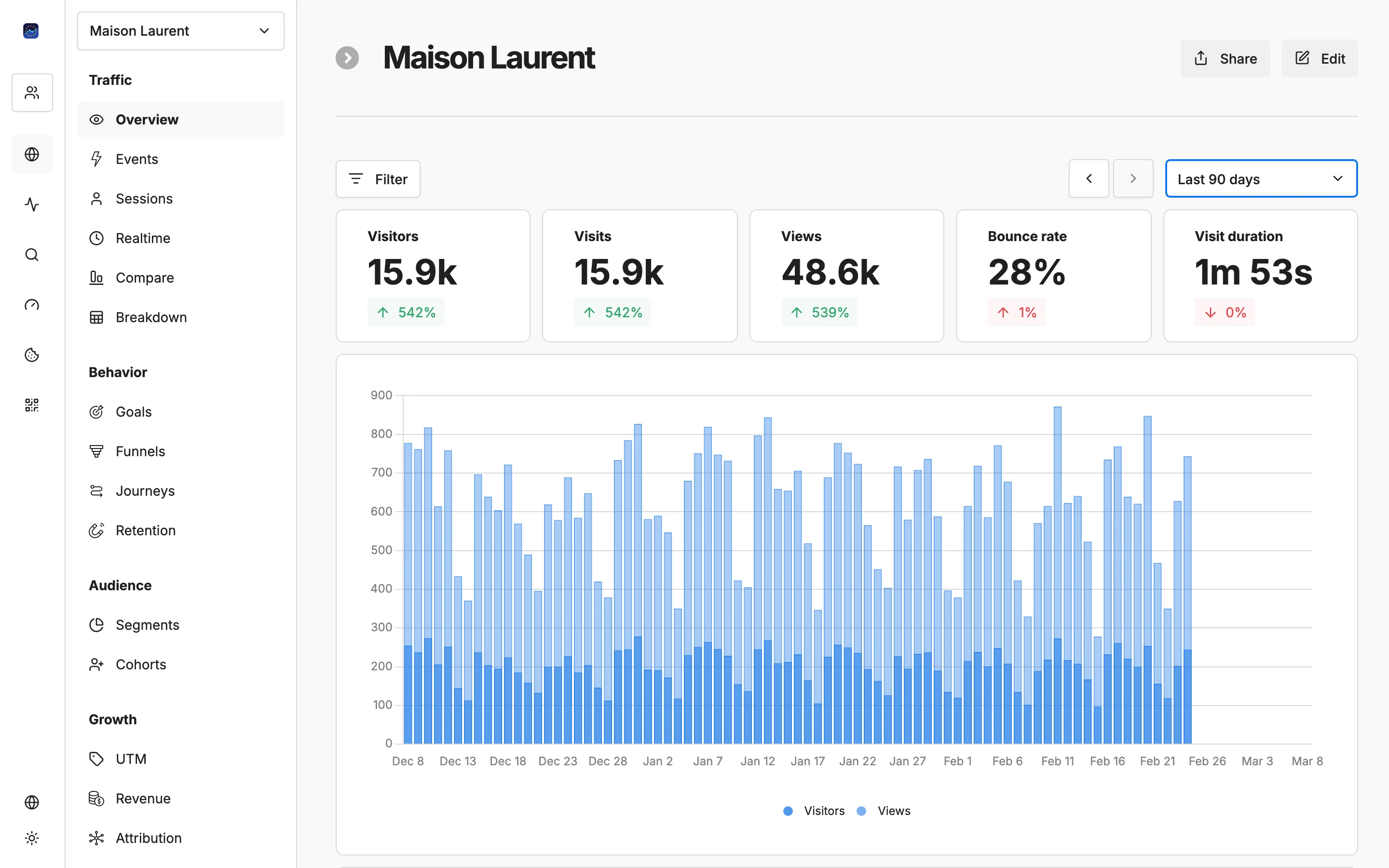
Your website data, at a glance

One clean dashboard for all key metrics — visitors, pageviews, bounce rate, top pages, and referrers. Updated in real time, hosted in the EU.

Free forever planNo credit card required100% EU-hosted
Your website data, at a glance

Key capabilities

Real-time overview

See live visitor counts, active pages, and geographic distribution the moment you open your dashboard.

Key metrics in one view

Visitors, unique visitors, pageviews, bounce rate, session duration, and pages per session — all on a single screen.

Flexible date ranges

Compare today vs. yesterday, this week vs. last, or set any custom date range to spot trends and changes.

Top pages & entry points

See which pages attract the most visitors and where people enter your site to optimize content and navigation.

Device & browser breakdown

Understand which devices, browsers, and screen sizes your audience uses to ensure the best experience.

Export & share

Download your data as CSV or share dashboard views with team members. Full control over your analytics data.

How it works

1

Add the tracking script

Paste a single line of code into your website. About 5 KB, no cookies, no impact on performance.

2

Data flows in real time

Within seconds you will see live visitors, pageviews, and geographic data on your dashboard.

3

Analyze and act

Use filters, date comparisons, and top-page reports to make data-driven decisions for your website.

Your data stays in Europe

All analytics data is processed and stored in EU data centres. No transatlantic transfers of your analytics data.

How to read your analytics dashboard in five minutes a week

Start with visitors, not pageviews. Visitors tell you how many people reached the site; pageviews tell you how much they read once there. When the two move apart, that gap is usually the most useful thing on the screen. More pageviews with flat visitors means existing readers went deeper. More visitors with flat pageviews means new people arrived and left after one page, which you will also see as a rising bounce rate.

Next, pick one comparison and keep it. A weekly check of this week against last week is enough for most sites, because single days swing with weekends and holidays. Look at pages per session and session duration together: if both drop at the same time, something changed in how people move through the site, such as a broken menu link or a new page that answers the question too quickly to need a second click. Then open top pages and entry points. The entry list shows where people actually land, which is often a blog post or a product page rather than your home page, so that page deserves the clearest next step.

A worked example. Say visitors rise from 1,200 to 1,500 week over week, but pages per session falls from 2.4 to 1.9. The referrer list shows a new link from a forum thread pointing at one article, and that article is now your top entry point with a high bounce rate. The traffic is real and welcome. The fix is a related-reading link or a signup prompt on that article, not a redesign of the whole site.

Two habits keep the numbers honest. First, exclude your own visits in website settings under Traffic Filters, where the Exclude My IP button creates the rule for you; otherwise every edit and preview you make inflates the count. Filtered events are never recorded, so set this up early rather than trying to clean data later. Second, check the device breakdown before judging a page. A page that bounces only on mobile has a layout problem, not a content problem. When you need to share a finding, export the table as CSV so the numbers travel with the conclusion.

Frequently asked questions

What metrics does the dashboard show?▼
The dashboard displays visitors, unique visitors, pageviews, bounce rate, session duration, pages per session, top pages, referrers, countries, devices, and browsers — all in real time.
Is the data updated in real time?▼
Yes. All metrics update within seconds of a visitor arriving on your site. There is no 24-hour processing delay like some other analytics platforms.
Can I compare different time periods?▼
Absolutely. You can compare any two date ranges side by side — today vs. yesterday, this month vs. last month, or any custom range.
Do I need cookies or consent banners?▼
No. EuroMetrics uses cookieless tracking, so no consent banners are required. You see 100% of your visitors without any data gaps.
Where is my data stored?▼
All data is stored in a data centre in Paris, France. Analytics data never leaves the European Union.

See your website analytics in real time

Add one script tag and start tracking visitors in under 2 minutes. No cookies, no consent banners, 100% EU-hosted.

Free plan available. No credit card required.