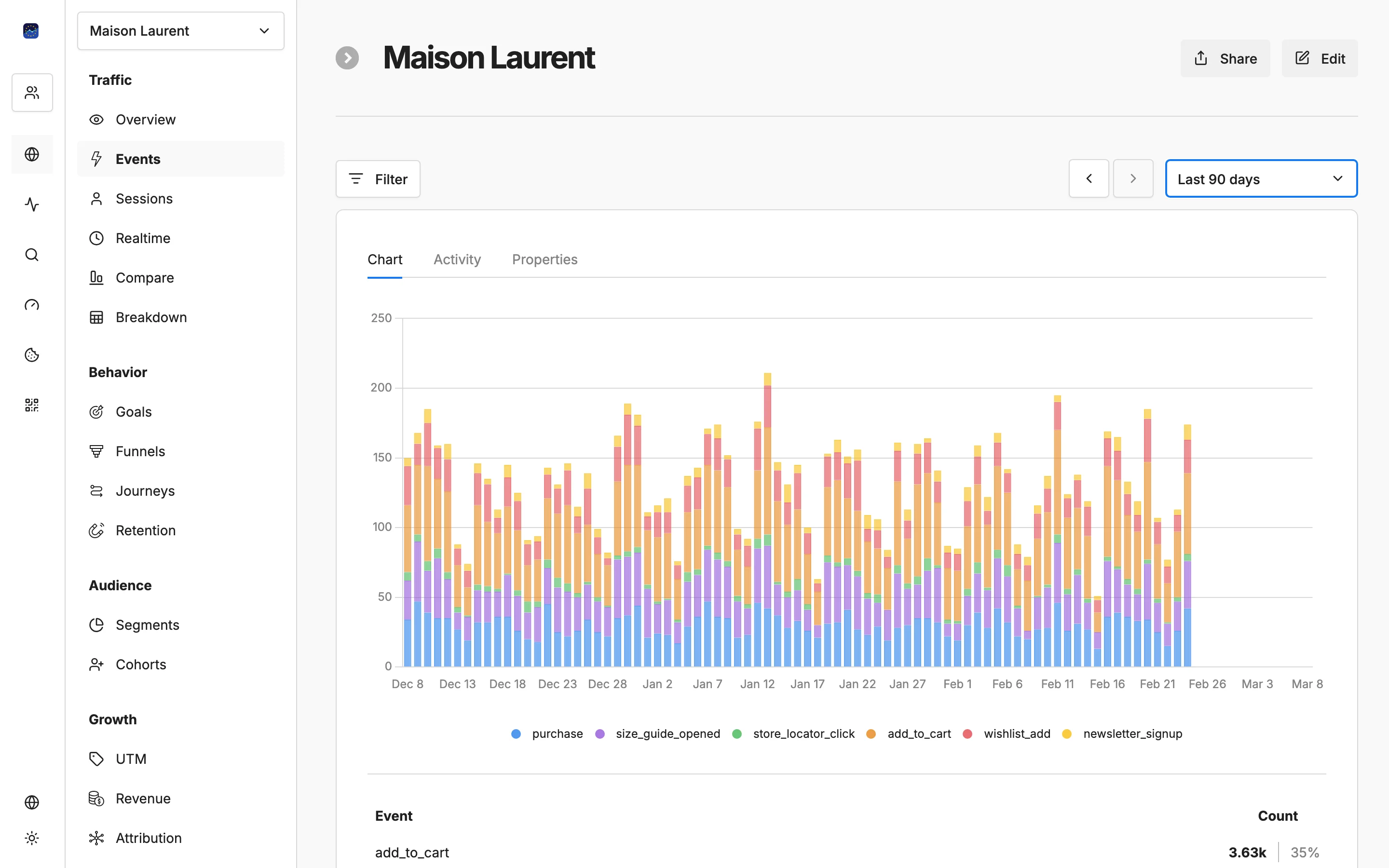
Measure what matters to your business

Track signups, purchases, downloads, and any custom event. See conversion rates by source, campaign, and page.

Free forever planNo credit card required100% EU-hosted
Measure what matters to your business

Key capabilities

Custom goals

Define goals based on page visits, button clicks, form submissions, or any custom event that matters to your business.

Conversion rate tracking

See the percentage of visitors who complete each goal, broken down by traffic source, campaign, and landing page.

Event tracking

Track custom events like downloads, video plays, scroll depth, and outbound link clicks with simple JavaScript calls.

Attribution by source

Know which traffic sources and campaigns drive the most conversions to optimize your marketing spend.

Funnel visualization

See where visitors drop off in multi-step processes like checkout flows or signup forms.

How it works

1

Define your goals

Set up conversion goals in your dashboard — page visits, clicks, form submissions, or custom events.

2

Track events automatically

Add simple event calls to your site or use automatic tracking for page-based goals.

3

Optimize by source

See which campaigns and channels convert best, then double down on what works.

Your data stays in Europe

All analytics data is processed and stored in EU data centres. No transatlantic transfers of your analytics data.

How to choose goals and read conversion rates you can act on

Start with one or two goals that map directly to revenue or to a lead, not with everything that can be counted. For most sites the first goal is the page a visitor only sees after finishing something: the thank-you page after a contact form, the confirmation page after checkout, the welcome screen after signup. A page visit goal on that URL needs no code at all, so it is the fastest way to get a reliable number. Add custom events later for actions that do not load a new page, such as a file download or a click on a pricing button.

When you do add events, name them for the business outcome rather than the interface element. An event called signup still makes sense after a redesign; an event called green_button_click does not. Keep names short, lowercase and consistent, and attach a value only where it means money, as in eurometrics.track('purchase', {value: 49}). Reports stay readable when every event name answers the question of what the visitor achieved.

Because EuroMetrics works without cookies, attribution comes from the referrer and from UTM parameters on the landing visit. That has a practical consequence: any link you control, in newsletters, ads or partner posts, should carry UTM tags, otherwise a campaign click can show up as direct traffic or under a generic referrer. Use the same source and medium spelling every time, because newsletter and Newsletter will appear as two separate rows.

Read conversion rate next to volume, never alone. Here is an example with made-up numbers: a partner blog sends 40 visitors and 4 signups, a 10% rate, while organic search sends 2,000 visitors and 60 signups, a 3% rate. The partner looks better on rate, but search delivers fifteen times more signups, and 4 conversions are too few to call a trend. The useful action is to keep the partner link, then look at which landing pages convert best from search and send more of that traffic there. For multi-step flows, set up a funnel and fix the step with the largest drop before you spend more on traffic.

Frequently asked questions

What types of goals can I track?▼
You can track page visit goals (e.g., reaching a thank-you page), click goals (button or link clicks), and custom JavaScript events (form submissions, downloads, video plays).
Can I see conversions by traffic source?▼
Yes. Every goal shows conversion rates broken down by source, medium, campaign, and landing page so you know exactly what drives results.
How do I add event tracking?▼
Use the eurometrics.track() JavaScript function to send custom events. For example: eurometrics.track('signup') or eurometrics.track('purchase', {value: 49}).
Does conversion tracking work without cookies?▼
Yes. Conversions are tracked per pageview session without cookies. Attribution uses referrer data and UTM parameters instead of cookie-based tracking.
Can I track multiple goals simultaneously?▼
Yes. You can set up as many goals as you need — track signups, purchases, downloads, and any custom events at the same time.

Start tracking conversions today

Define goals, track events, and measure what drives your business — all without cookies.

Free plan available. No credit card required.