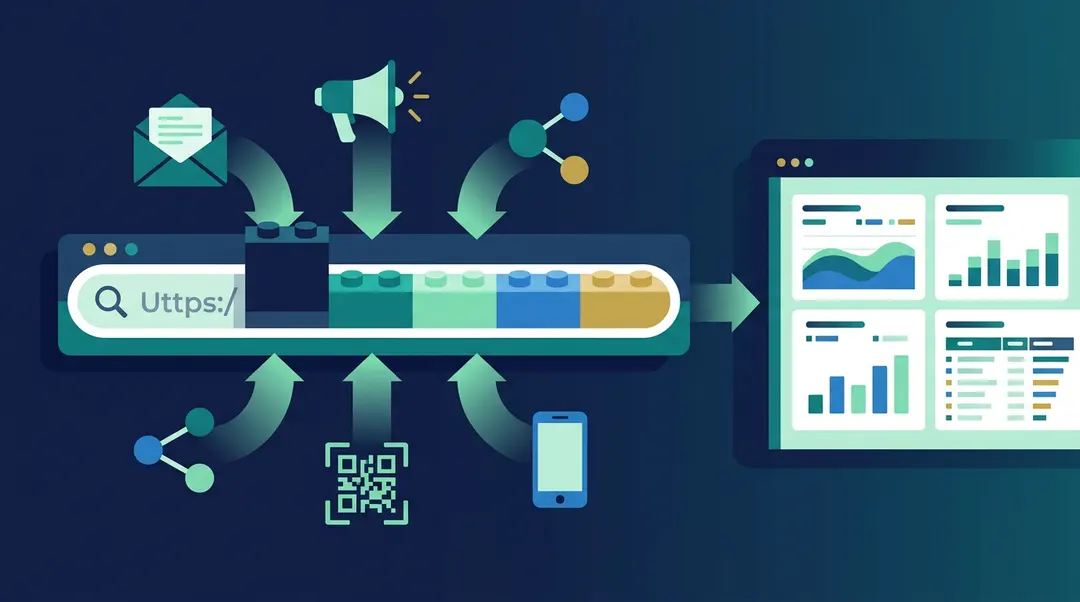
Most marketing teams spend significant time and money driving traffic to their websites through email campaigns, paid ads, social media posts, partner links, and offline promotions. But when they open their analytics dashboard, a large portion of that traffic appears as “direct” or “unattributed”, meaning the analytics platform has no idea where those visitors came from.
The reason is almost always the same: the links used in campaigns were not tagged with UTM parameters.
UTM parameters are simple text tags added to the end of a URL that tell the analytics platform exactly which campaign, channel, and source sent the visitor. They work with Google Analytics, GA4, Matomo, Plausible, EuroMetrics, Adobe Analytics, and virtually every other web analytics tool. They cost nothing to implement and require no technical setup on the website itself.
This article explains how UTM parameters work, what each one does, and how to use them correctly across different marketing channels.
What a UTM-Tagged URL Looks Like
A standard URL looks like this:
https://www.example.com/pricingA URL with UTM parameters looks like this:
https://www.example.com/pricing?utm_source=newsletter&utm_medium=email&utm_campaign=march_updateEverything after the question mark is metadata for the analytics platform. The visitor still lands on the same pricing page. The website functions identically. But the analytics platform now knows that this specific visitor came from a newsletter, via email, as part of the March update campaign.
Without these tags, the visit might be recorded as “direct traffic”: indistinguishable from someone who typed the URL into their browser.
The Five Parameters and When to Use Each One
There are five standard UTM parameters. Three are essential for any campaign. Two are optional but valuable in specific situations.
utm_source: Where the Traffic Comes From
This identifies the specific platform, website, or sender. It answers: who is sending the traffic?
Typical values: google, facebook, linkedin, newsletter, partner_blog, instagram, tiktok, bing.
This is the most important parameter. Without it, the analytics platform cannot distinguish between traffic from different sources within the same campaign.
utm_medium: The Type of Channel
This describes the marketing mechanism. It answers: what kind of channel delivered the link?
Typical values: email, cpc (cost per click), social, referral, display, banner, sms, qr, affiliate, video.
A critical distinction: utm_medium should describe the channel type, not the platform. “email” is a medium. “mailchimp” is not; that belongs in utm_source. “cpc” is a medium. “facebook” is not. Keeping this separation clean allows the analytics platform to group all paid traffic together, all email traffic together, and all social traffic together, regardless of which specific platforms were used.
utm_campaign: The Specific Initiative
This identifies the campaign, promotion, or project. It answers: which campaign is this link part of?
Typical values: spring_sale_2026, product_launch, webinar_march, onboarding_series, black_friday.
Campaign names should include enough context to be identifiable months later. “promo” is not useful when reviewing data in Q4. “q1_spring_sale_2026” is.
utm_term: The Keyword or Targeting Criteria
Originally designed for paid search keywords, this parameter can serve any situation where an additional layer of categorization is needed.
Typical values: running_shoes (the keyword bid), enterprise_audience, retargeting_30day.
This parameter is optional and most commonly used in Google Ads and Bing Ads campaigns.
utm_content: Which Link Was Clicked
This differentiates between multiple links in the same campaign that lead to the same destination. It is essential for A/B testing and email optimization.
Typical values: header_banner, sidebar_link, footer_cta, blue_button, text_link, version_a.
In an email with three clickable elements (a hero image, an inline text link, and a CTA button), utm_content reveals which one the subscriber actually clicked. Without it, all three clicks look identical in the analytics report.
Practical Examples for Common Channels
Email Newsletter
?utm_source=weekly_newsletter
&utm_medium=email
&utm_campaign=march_product_update
&utm_content=hero_cta
Every email should have UTM tags on every link. Different links within the same email should have different utm_content values. This reveals not just how many people clicked, but where in the email they clicked.
Facebook Paid Ad
?utm_source=facebook
&utm_medium=cpc
&utm_campaign=spring_retargeting
&utm_content=carousel_card_2
For paid social, the medium is “cpc” or “paid_social”, never “facebook”. If both organic and paid campaigns run on Facebook simultaneously, using “facebook / social” for organic and “facebook / cpc” for paid keeps the data clean.
Google Search Ad
?utm_source=google
&utm_medium=cpc
&utm_campaign=brand_keywords
&utm_term=eurometrics_analytics
Google Ads can auto-tag URLs with a gclid parameter. If the analytics platform is Google Analytics, auto-tagging is usually sufficient. For any other analytics platform (Matomo, EuroMetrics, Plausible), manual UTM tags are necessary.
LinkedIn Organic Post
?utm_source=linkedin
&utm_medium=social
&utm_campaign=thought_leadership_q1
Organic social media uses “social” as the medium, distinguishing it from paid social (“cpc”). This separation is necessary for understanding the ROI of paid spend versus organic effort.
SMS Campaign
?utm_source=sms_list
&utm_medium=sms
&utm_campaign=flash_sale_march
SMS has a specific constraint: a standard message is limited to 160 characters, and a URL with UTM parameters can consume 100 or more of those characters. This is where a URL shortener becomes essential. A tool like Cut2.eu compresses the full UTM-tagged URL into approximately 15 characters while preserving all tracking data. The visitor is redirected to the full URL, and the analytics platform records all parameters as intended.
The cost implication is real. If a UTM-tagged URL pushes the message over 160 characters, the carrier splits it into two SMS segments, and the sender pays for both. At a volume of 50,000 messages, this can double the campaign cost.
QR Code on Print Material
?utm_source=conference_flyer
&utm_medium=qr
&utm_campaign=berlin_event_2026
For QR codes, utm_source should identify the specific print material (flyer, poster, product_packaging, business_card). Using a different utm_source per material enables offline attribution: the analytics data shows which physical item drove the most scans.
Shorter URLs also produce simpler QR codes with fewer modules, making them easier to scan from a distance or on a crumpled surface.
Partner or Affiliate
?utm_source=partner_acme_consulting
&utm_medium=referral
&utm_campaign=partner_program_2026
Assigning a unique short link to each partner (cut2.eu/partner-acme) creates a clean tracking mechanism. The partner shares a simple URL, and the analytics data shows exactly how much traffic each partner drives.
The Seven Rules of UTM Naming
Consistent naming conventions are the difference between useful analytics data and a chaotic mess. These rules apply to every campaign, every channel, and every team member.
Rule 1: Always lowercase. UTM values are case-sensitive. “Email” and “email” are two different mediums in every analytics platform. Use lowercase for everything.
Rule 2: No spaces. Spaces in URLs become “%20” and clutter analytics reports. Use underscores (spring_sale) or hyphens (spring-sale). Choose one convention and stick with it.
Rule 3: Source is the who, medium is the how. “facebook / cpc” is correct. “facebook / facebook” is not. Source identifies the platform. Medium identifies the channel type.
Rule 4: Campaign names include time context. “spring_sale” works once. “spring_sale_2026” works forever. Include a year, quarter, or month so recurring campaigns do not blend together in historical data.
Rule 5: Never tag internal links. UTM parameters are for external traffic sources only. Adding UTM tags to links between pages on the same website overwrites the original source data and corrupts the analytics.
Rule 6: Tag every link or tag none. If half the links in a campaign have UTM tags and half do not, the untagged clicks appear as “direct” traffic. The campaign data becomes incomplete and unreliable.
Rule 7: Document the conventions. A shared spreadsheet or document with approved values for utm_source, utm_medium, and standard campaign naming patterns prevents team members from creating inconsistent variations.
What Happens When UTM Tags Are Missing
Without UTM parameters, the analytics platform relies on referrer headers and other technical signals to determine traffic sources. These signals are unreliable for several reasons.
Email clients strip referrer data. A click from Gmail, Outlook, or Apple Mail often arrives with no referrer, making it appear as “direct” traffic. Without UTM tags, the analytics platform cannot distinguish an email click from someone typing the URL directly.
Social media apps use in-app browsers that sometimes do not pass referrer data correctly. Traffic from Facebook, Instagram, and TikTok can appear as “direct” or be miscategorized.
HTTPS-to-HTTP transitions lose referrer data entirely. If the link source is an HTTPS page and the destination is HTTP (or vice versa in certain configurations), the browser may not send the referrer header.
URL shorteners without UTM tags strip the original referrer. The analytics platform sees the shortener’s domain as the referrer, not the actual source.
In all these cases, UTM parameters provide a reliable, explicit signal that overrides the technical guesswork.
Using a URL Builder Tool
Constructing UTM-tagged URLs by hand is error-prone. A missing ampersand, a mistyped parameter name, or an accidental space can break the tracking entirely.
A URL builder tool automates this process. The EuroMetrics Campaign URL Builder provides fields for each parameter, validates the URL, enforces lowercase, replaces spaces automatically, and generates the final URL with one click. It also includes a built-in link shortener (Cut2.eu) for compressing long URLs and a fragment mode toggle for single-page applications.
The tool runs entirely in the browser: no data is sent to any server, no cookies are set, and no registration is required.
For teams running multiple campaigns across multiple channels, a URL builder eliminates the most common source of analytics data quality problems: inconsistent, hand-typed UTM parameters.
Related Tools
Campaign URL Builder: Generate UTM-tagged URLs for any analytics platform. Free, no registration required.
Cut2.eu: Free EU-hosted URL shortener. Compress long UTM-tagged URLs into short, scannable links. No cookies, GDPR-compliant.
Website Speed Test: Test page load performance from European servers.