Understanding how to view analytics data effectively is fundamental to making informed business decisions for any business with a website. Whether you're tracking website performance, user behaviour, or campaign effectiveness, the way you access and interpret your analytics directly impacts your ability to respond to market changes and optimise your digital presence. For European businesses, this becomes even more critical when considering data sovereignty, privacy regulations, and the need for reliable, accessible insights without complexity.
What Does It Mean to View Analytics Data
When we discuss the ability to view analytics data, we're referring to more than simply accessing numbers on a screen. It encompasses the entire ecosystem of how data is collected, processed, visualised, and made actionable for decision-makers.
The term "view analytics" traditionally relates to creating structured perspectives of data that facilitate specific types of queries and insights. In database management systems, analytic views provide hierarchical and dimensional representations of underlying data, making complex analysis more accessible.
Modern Analytics Viewing Requirements
Today's businesses need analytics platforms that offer:
- Real-time data access without delays or batch processing
- Intuitive dashboards that require minimal training
- Customisable views tailored to specific roles and objectives
- Privacy-conscious tracking that respects user rights
- European data hosting for complete digital sovereignty
The challenge many European organisations face is balancing thorough data collection with strict privacy requirements. Traditional analytics tools often force businesses to choose between functionality and compliance, but this trade-off is increasingly unnecessary with modern, cookieless approaches.
Essential Components When You View Analytics Dashboards
A well-designed analytics view should present information in layers, allowing users to start with high-level overview metrics and progressively drill down into specifics. This hierarchical approach mirrors how SAP structures analytic models from underlying data sources.
Top-Level Metrics That Matter
Every analytics dashboard should prominently display these critical indicators:
- Total visitors and sessions across selected time periods
- Traffic source distribution showing organic, direct, referral, and campaign traffic
- Top-performing pages ranked by views and engagement
- Conversion rates for defined goals and events
- Bounce rate and average session duration indicating engagement quality
Metric Category | What It Reveals | Update Frequency |
|---|---|---|
Visitor Count | Overall reach and traffic volume | Real-time |
Traffic Sources | Marketing channel effectiveness | Real-time |
Page Performance | Content engagement and user paths | Real-time |
Conversion Data | Business goal achievement | Real-time |
Device & Location | Audience demographics | Real-time |
The ability to view analytics data in real-time transforms how quickly you can respond to trends. When you notice a sudden traffic spike from a particular source, immediate visibility allows you to capitalise on the moment rather than discovering it days later in a static report.
Segmentation and Filtering Capabilities
Effective analytics views must allow users to segment data by multiple dimensions simultaneously. This means filtering by:
- Geographic location (country, city, region)
- Device type (desktop, mobile, tablet)
- Traffic source (organic search, social media, email campaigns)
- User behaviour (new vs. returning visitors)
- Custom events and conversions
Understanding your audience through well-defined segments and cohorts enables targeted optimisation strategies that improve performance across specific user groups rather than making broad, potentially ineffective changes.
Designing Views for Different Stakeholders
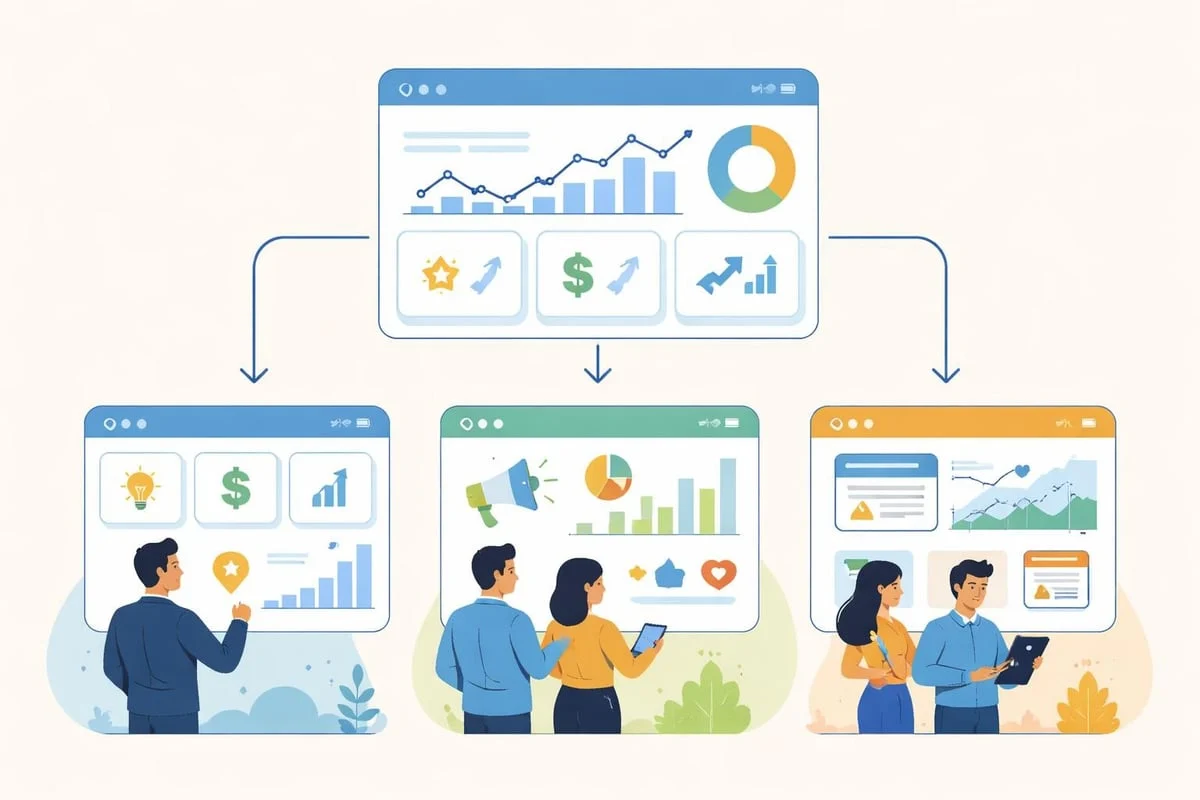
Not everyone in your organisation needs to view analytics data in the same way. Marketing managers, content creators, and executives each require different perspectives tailored to their decision-making needs.
Marketing Team Analytics Views
Marketing professionals need deep visibility into campaign performance and attribution. Their ideal analytics view emphasises:
- Campaign tracking with UTM parameter breakdown
- Attribution modelling showing touchpoints along the customer journey
- Conversion funnel analysis identifying drop-off points
- ROI calculations per channel and campaign
When marketing teams can effectively view analytics data related to UTM campaign performance, they identify which messaging, channels, and audience segments deliver the best return, enabling budget optimisation and strategic refinement.
Building accurate campaign tracking starts with proper URL structure. Using a campaign URL builder ensures consistent parameter naming and complete tracking across all marketing initiatives.
Executive Dashboard Requirements
Leadership needs high-level summaries without excessive detail. Executive views should present:
- Month-over-month growth trends
- Key performance indicator (KPI) achievement status
- Traffic and conversion highlights
- Competitive positioning insights
- Revenue attribution when integrated with business systems
Best practices for executive dashboards include limiting displayed metrics to 5-7 critical indicators, using visual trend indicators (arrows, colour coding) for quick comprehension, and providing one-click access to supporting detail without cluttering the primary view.
Technical Considerations for Analytics Views
The infrastructure supporting your analytics platform significantly impacts how efficiently you can view analytics data. European businesses must consider data residency, processing speed, and access controls.
Data Storage Location and Sovereignty
Where your analytics data physically resides affects compliance, performance, and legal jurisdiction. EU-hosted analytics platforms store all information exclusively in European data centres (typically Paris, Frankfurt, or Amsterdam), ensuring:
- Complete GDPR alignment with data processing principles
- No transatlantic data transfers eliminating Privacy Shield concerns
- Faster query response times for European users
- Clear legal jurisdiction under European law
For organisations serious about data sovereignty, choosing analytics hosted entirely within the EU removes ambiguity about data processor relationships and international data transfer mechanisms.
Performance Optimisation for View Speed
The speed at which you can view analytics data directly correlates with how frequently you'll actually use the platform. Optimising analytic application performance involves several technical strategies:
- Pre-aggregating common queries to reduce processing time
- Implementing efficient database indexing on frequently filtered dimensions
- Caching recent results for instant retrieval
- Progressive loading of dashboard elements to show critical data first
When analytics platforms load slowly, users abandon detailed analysis in favour of surface-level checks. A responsive interface encourages deeper exploration and more informed decision-making.
Privacy-Conscious Analytics Views
Modern European businesses need analytics that respect user privacy whilst delivering detailed insights. This means moving beyond cookie-dependent tracking to more sustainable approaches.
Cookieless Tracking Fundamentals
Cookieless analytics use privacy-preserving methods to track visitor behaviour without storing identifiers on user devices. This approach:
- Eliminates consent banner requirements since no cookies are set
- Respects browser privacy features like Intelligent Tracking Prevention
- Provides accurate, unbiased data not affected by cookie deletion
- Simplifies compliance documentation for data protection authorities
The ability to view analytics data without cookies doesn't mean sacrificing insight quality. Modern techniques using server-side processing and privacy-safe fingerprinting deliver session continuity and user journey tracking whilst honouring privacy principles.
Before implementing any analytics solution, understanding what tracking mechanisms are already present is essential. A cookie scanner reveals existing cookies and third-party trackers, helping you audit current privacy exposure and plan migration strategies.
Implementing Access Controls
Creating analytic privileges for views allows organisations to control which team members see which data segments. This becomes critical when:
- Multiple clients or properties share a single analytics instance
- Financial or sensitive business metrics require restricted access
- Regional teams should only view their geographic segment
- External contractors need limited, temporary access
Access Level | Permitted Views | Use Case |
|---|---|---|
Full Admin | All properties, settings, historical data | Agency owner, technical lead |
Property Manager | Single property, all metrics | Client account manager |
Read-Only Analyst | Specific dashboards, no settings | Freelance content creator |
Report Recipient | Automated email reports only | Executive stakeholder |
Proper access control ensures everyone can view analytics data relevant to their responsibilities without exposing confidential information or creating security vulnerabilities.
Making Analytics Actionable
The ultimate purpose of any analytics platform is driving action. Simply viewing data without context or clear next steps wastes the investment in tracking infrastructure. Making analytics actionable requires intentional design and workflow integration.
Connecting Insights to Actions
Effective analytics views should immediately suggest responses. When you notice:
- Traffic drops on specific pages: Check for technical issues using a speed test or SEO audit
- High bounce rates from particular sources: Review message-market fit and landing page relevance
- Conversion funnel abandonment: Analyse user journey obstacles and form complexity
- Geographic performance variations: Adjust content localisation and regional targeting
Building automated workflows that trigger based on analytic thresholds transforms passive monitoring into active management. Setting up alerts for traffic anomalies, conversion rate changes, or unusual referral patterns enables immediate response when opportunities or problems emerge.
Integration with Business Systems
Analytics data becomes exponentially more valuable when connected to other business platforms:
- CRM systems for sales attribution and customer lifetime value tracking
- Email marketing platforms to measure campaign effectiveness beyond click rates
- E-commerce systems for complete revenue attribution
- Project management tools to prioritise development based on data
When European businesses choose web analytics solutions, integration capabilities often determine long-term value. EuroMetrics provides cookieless tracking designed specifically for European businesses, with 100% EU hosting and straightforward integration options that maintain data sovereignty across your entire technology stack.
Best Practices for Analytics View Management
Maintaining effective analytics views requires ongoing attention and periodic refinement. Best practices for analytic views emphasise simplicity, consistency, and continuous optimisation.
Establishing View Standards
Create documented standards for how your organisation structures analytics views:
- Naming conventions for custom events, goals, and segments
- Date range defaults appropriate for your business cycle
- Comparison periods (year-over-year vs. month-over-month)
- Metric definitions ensuring everyone interprets data identically
- Refresh schedules for reports and dashboard reviews
Consistency in how team members view analytics data prevents misinterpretation and enables meaningful collaboration. When the marketing manager and content creator both understand "bounce rate" identically and use the same time periods for comparison, their discussions about strategy become more productive.
Regular Audit and Refinement
Your analytics setup should evolve with your business. Quarterly reviews should assess:
- Whether tracked events still align with current business goals
- If dashboard layouts serve user needs efficiently
- Whether access permissions reflect current team structure
- How data retention policies balance insight needs with privacy principles
Crafting effective data views involves a minimalist approach that prioritises signal over noise. Removing outdated metrics and consolidating redundant views keeps your analytics focused on what truly matters.
Advanced Analytics Viewing Techniques
Beyond basic dashboard access, sophisticated users can extract deeper insights through advanced viewing methods that reveal patterns invisible in standard reports.
Cohort Analysis and User Journeys
Cohort analysis groups users by shared characteristics (signup date, first campaign source, geographic location) and tracks their behaviour over time. This reveals:
- Retention patterns showing which acquisition channels deliver lasting engagement
- Feature adoption rates for new website sections or products
- Seasonal behaviour changes in different audience segments
- Lifetime value progression across customer cohorts
Understanding user journeys through your website exposes the actual paths visitors take, often quite different from assumed linear funnels. Multi-touch attribution shows which content pieces contribute to conversions even when they're not the final click.
Custom Event Tracking
Generic page view tracking provides limited insight into user engagement with interactive elements. Tracking custom events captures:
- Video play, pause, and completion events
- Download button clicks for resources
- Form field interactions and abandonment points
- Interactive element engagement (calculators, configurators, chat widgets)
When you view analytics data enriched with custom events, you understand not just which pages users visit, but what they actually do on those pages. This behaviour-level insight drives more precise optimisation.
Breakdown and Pivot Reporting
Breakdown and pivot reports allow multi-dimensional analysis by combining different data attributes. Examples include:
- Traffic source broken down by device type and location
- Page performance segmented by new vs. returning visitors
- Conversion rates split by referral source and landing page
- Session duration analysed by entry page and traffic channel
Analysis Type | Primary Dimension | Secondary Dimension | Insight Gained |
|---|---|---|---|
Source Performance | Traffic Source | Device Type | Which channels drive mobile vs. desktop traffic |
Content Effectiveness | Page URL | Traffic Source | Which content resonates with different audiences |
Geographic Patterns | Country | Landing Page | Regional content preferences and entry points |
Conversion Attribution | Goal Completion | First Touch Source | Initial touchpoint impact on conversions |
These multi-layered views reveal relationships between variables that simple single-dimension reports miss entirely.
Frequently Asked Questions
What is the difference between viewing analytics data and analysing it?
Viewing analytic data refers to accessing and reading the metrics collected by your analytics platform, whilst analysing involves interpreting those metrics to identify patterns, draw conclusions, and make informed decisions. Effective analytics platforms make viewing intuitive so users can spend more time on analysis rather than struggling to access data. The quality of your viewing interface directly impacts analytical capability.
How often should I view my website analytics?
The optimal frequency depends on your business type and traffic volume. High-traffic e-commerce sites benefit from daily checks to spot trends and issues quickly, whilst smaller business websites might review analytics weekly or fortnightly. Real-time analytics capabilities allow you to check whenever questions arise without waiting for scheduled reports. Establishing a consistent review schedule prevents both obsessive checking and dangerous neglect.
Can I view analytics data without using cookies?
Yes, modern cookieless analytics platforms track visitor behaviour using privacy-preserving methods that don't require storing cookies on user devices. These approaches use server-side processing and aggregate data patterns whilst respecting individual privacy. Cookieless tracking eliminates consent banner requirements whilst still providing detailed insights into traffic sources, page performance, user journeys, and conversions.
What analytics views are most important for small businesses?
Small businesses should prioritise views showing traffic sources (to understand where visitors come from), top-performing pages (to identify valuable content), conversion tracking (to measure goal achievement), and device/location breakdowns (to understand audience composition). Simple, focused dashboards that answer "who visits, from where, and what do they do" provide more value than complex reports with dozens of metrics that create confusion rather than clarity.
How can I share analytics views with team members who aren't technical?
Choose analytics platforms with intuitive interfaces that don't require technical knowledge to interpret. Create custom dashboards for different roles showing only relevant metrics with clear labelling. Provide brief documentation explaining what each metric means and why it matters to their specific responsibilities. Consider automated email reports that deliver key insights directly rather than requiring users to log in and navigate complex interfaces.
Should analytics views show real-time data or historical summaries?
The ideal analytics platform offers both perspectives. Real-time views help you monitor current activity, spot immediate issues, and capitalise on emerging trends, whilst historical summaries reveal long-term patterns and enable meaningful period-over-period comparisons. Toggle between real-time and historical views depending on your current question-use real-time for monitoring and historical for strategic planning.
Mastering how you view analytics data transforms numbers into strategic advantage, enabling responsive optimisation and informed decision-making across your digital presence. For European businesses seeking complete tracking without privacy compromises, EuroMetrics delivers cookieless analytics with complete EU hosting, real-time dashboards, and the simplicity needed to make insights accessible across your entire team.